Verified Benchmarks Shaping the Podcast Video Cut
Editor’s takeaway: Producers delivering one camera session across Spotify, YouTube and Apple Podcasts now handle each destination as its own mastering target. Before ingest starts, editors need to map framing, loudness targets and caption tracks separately for every destination.
Each platform handles that identical camera feed in a different way. YouTube leans toward long-form video podcasts in 16:9 at 1080p or 4K, Spotify prioritizes a 1080x1920 vertical canvas, and Apple Podcasts favors 16:9 delivery over HLS. When a single edit disregards those differences, it risks cropped speaker framing and LUFS drift on at least one output.
Reference table to plan the cut:
| Platform | Native Canvas | Recommended Bitrate | Loudness Target |
|---|---|---|---|
| YouTube (long-form) | 1920x1080 | 24 Mbps | -14 LUFS |
| Spotify Video | 1080x1920 | 180 Mbps proxy master | -16 LUFS |
| Apple Podcasts | 1920x1080 HLS | 10 Mbps peak | -16 LUFS |
Among producers investing in video, 93% report positive ROI, compared with 87% five years earlier, while faster AI-assisted post-production compresses the cutting pipeline [Wyzowl Video Marketing Report, 2026]. For boutique shops that bill by the finished minute, that equates to $55 to $120 an hour and about 30 to 60 minutes worth of post work for each finished minute of YouTube master [ProductionHUB & Editorial Rate Survey, 2025].
Premiere Pro and DaVinci Resolve Setup for the Three-Platform Cut
Premiere Pro (v25/v26) Sequence Map
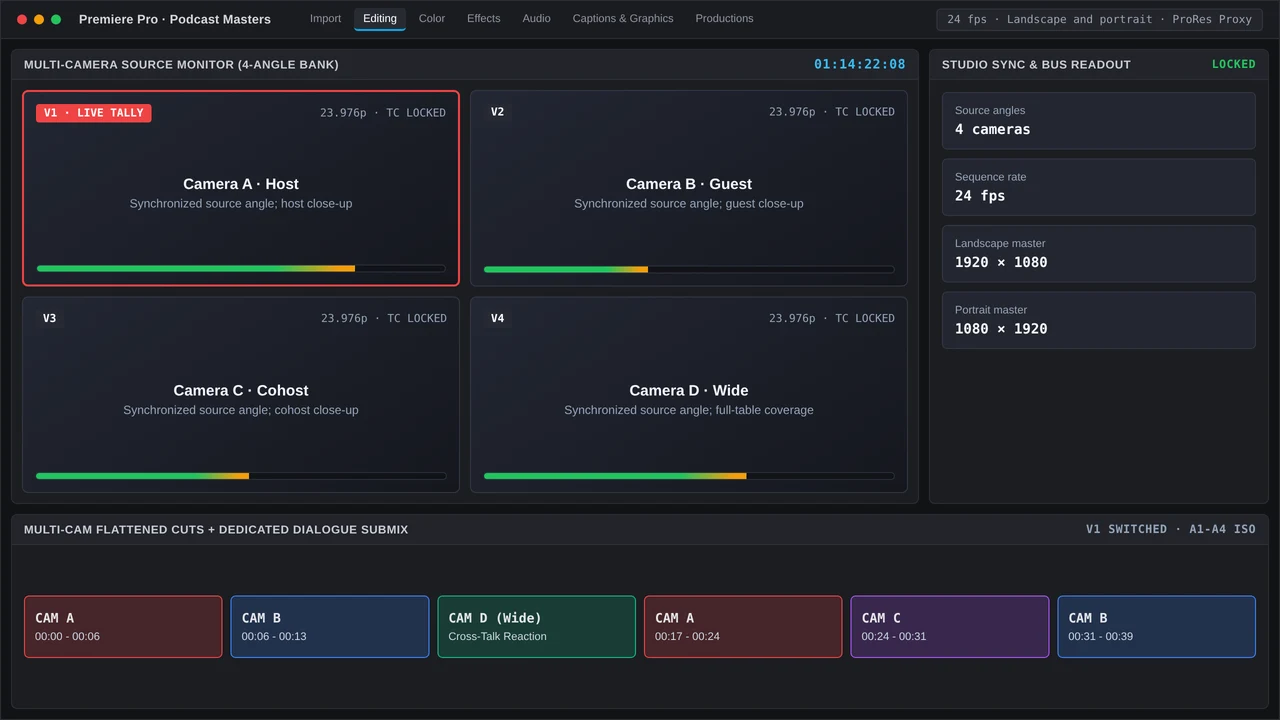
- Create the master 1920x1080 timeline at 24 fps and sync multicam via waveform or timecode.
- Open MOGRTs through the Graphics Templates panel, then select a template on the timeline to fine-tune its controls within the Properties panel.
- Use the Text panel to remove filler words via the transcript and detect pauses in bulk, then export SRT files through the captions workflow.
- Duplicate the master into a vertical 1080x1920 sequence and reposition speaker heads using motion keyframes inside the Properties panel.
- Share review links pinned to timecode via Frame.io v4 ($15 per user monthly) to hold revision cycles around 2.4 rounds rather than 4+ rounds [Frame.io Workflow Study, 2025].
DaVinci Resolve Studio (v19/v20) Sequence Map
- Bring multicam into the Media Pool, sync with the audio waveform, and assemble the 1920x1080 master timeline on the Edit page.
- On the Cut page, run Neural Engine transcription to detect filler words and automate the rough cut.
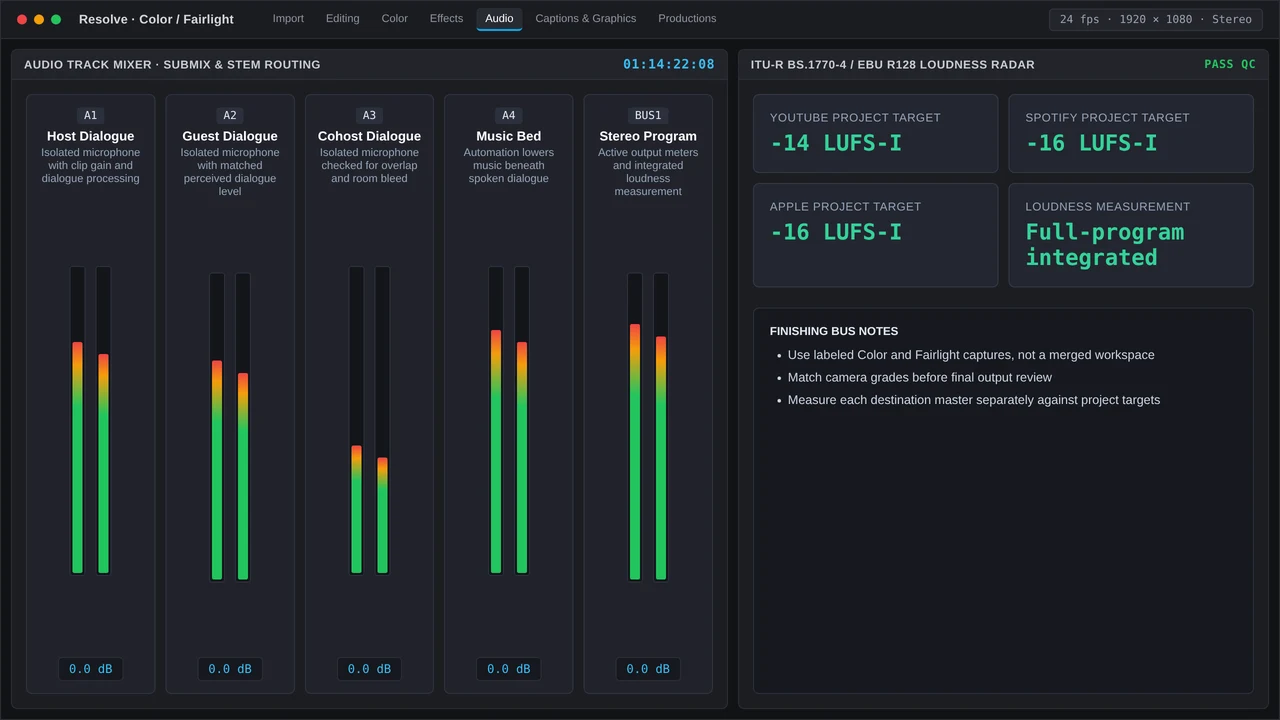
- Apply shared color decisions with shared nodes on the Color page, then normalize dialogue to -16 LUFS on the Fairlight page.
- Through the Deliver page queue, render H.264 1920x1080 for YouTube, vertical H.264 1080x1920 for Spotify, and HLS for Apple.
- Combine the Studio perpetual license ($295) with an outside annotation workflow to offset the smaller third-party MOGRT ecosystem compared with Premiere Pro [Adobe Future of Creativity & Post-Production Survey, 2025].
Timeline Bottlenecks and QC Checks Before Delivery
Nearly every cross-platform podcast cut hits the same three failure points: headroom drift during vertical reframing, caption drift after transcript changes, and uneven peak loudness between YouTube and Spotify masters. We book one dedicated QC pass after the rough cut plus a second pass after conform, allocating about 25% to 35% of editor capacity to ingest, QC, and template maintenance [Promethean Agency Operations Benchmark, 2025].
Healthy operations keep billable utilization between 65% and 75% so color, caption, and codec checks leave client time intact [Promethean Agency Operations Benchmark, 2025]. More than 75% of professional editors now use at least one AI transcription or silence-removal tool each week, but AI rough cuts still need human QC for breath pacing and B-roll framing [Adobe Future of Creativity & Post-Production Survey, 2025].
Engagement data helps refine the cut further. Video podcast episodes that run longer than 30 minutes average a 26% completion rate, while tight highlight edits of 5 to 10 minutes retain 46% to 52% of viewers [Wistia Video Engagement Benchmark, 2025]. Editors creating Spotify clips and Apple chapter previews should cut highlights as standalone deliverables and leave the master intact, then run each clip through caption verification, a peak loudness check at -1 dBTP, and a final integrated -16 LUFS check before delivery.